← Features
🧾
Claim की पूरी कहानी
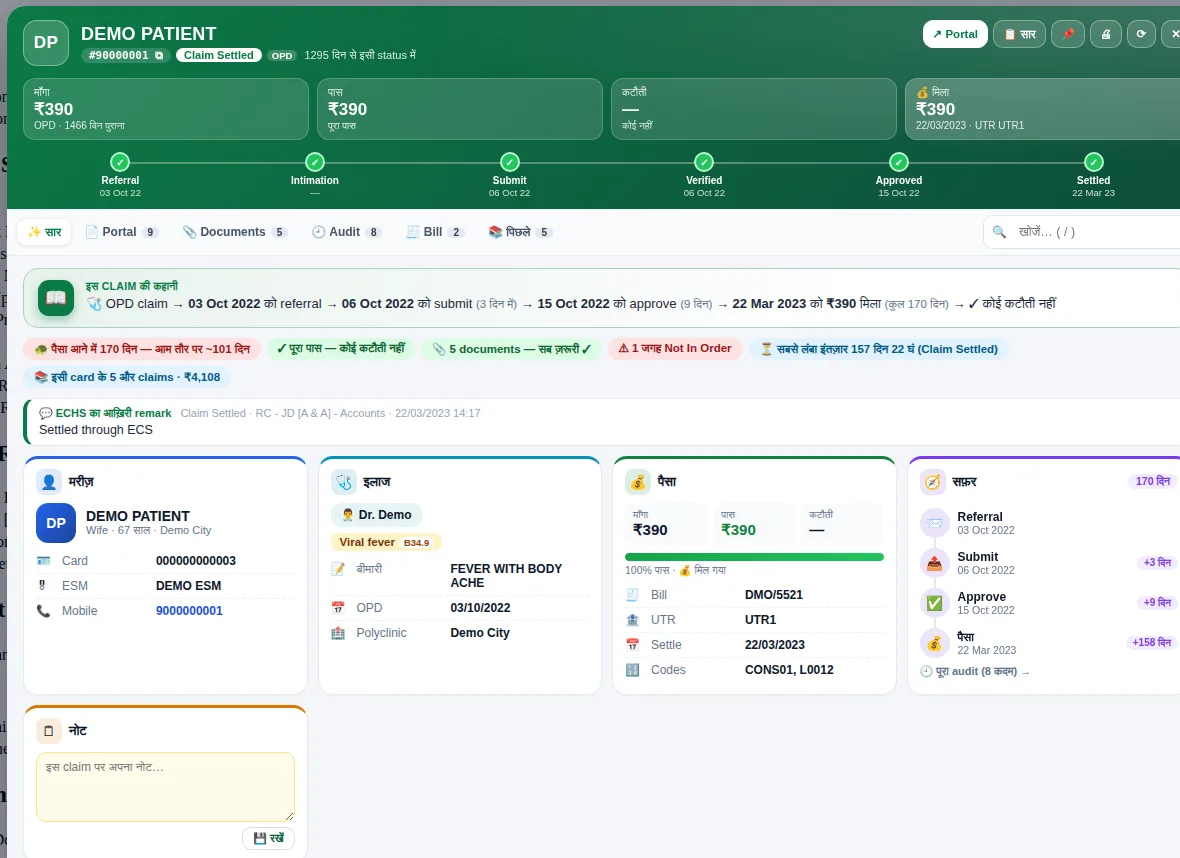
एक claim की हर बात full screen पर — सार, Portal, Documents, Audit, Bill और पिछले claims, 6 tabs में।
विस्तार वाले pages English में हैं।
What you get
- Status ladder from referral to settlement
- Amount boxes: claimed, approved, deducted, paid
- Six tabs: Summary, Portal, Documents, Audit, Bill, Previous
- Full screen on the portal — close with Esc
How to use it
- Click any claim in the side panel
- Switch tabs to see portal details, documents, audit or bill
- Press Esc to close and return to your work
Related guides