← Features
⌘
Command palette
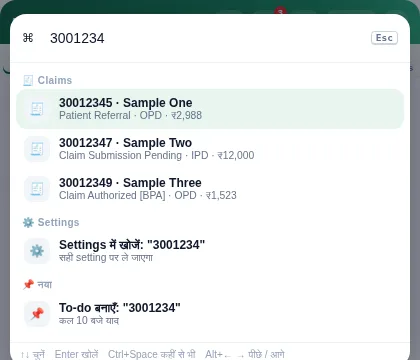
Press Ctrl+Space and open any claim, tool or setting from a single search box.
What you get
- Search claims by ID or name
- Open any tool, portal page or setting
- Create a to-do from the search text
- Fully keyboard driven
How to use it
- Press Ctrl+Space anywhere
- Type a claim ID, name or tool
- Press Enter