← Features
📈
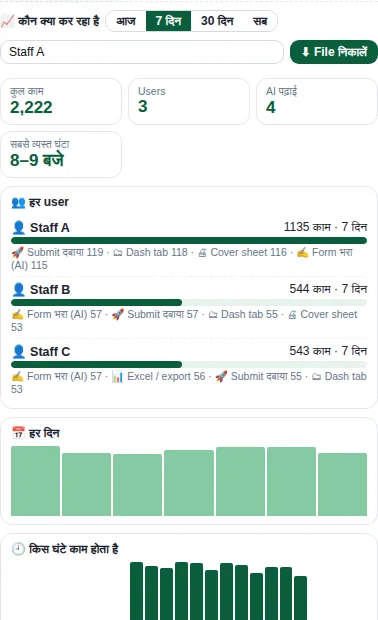
Staff analytics
Which user did what and how often, and the busiest hours — counts only, kept on the same computer.
What you get
- Actions per user, per day and per hour
- Counts only — never patient or claim data
- Optional counts-only export for the admin panel
- Speed and quality averages (v5.7+)
How to use it
- Open Tools → 📈 Extension analytics
- Pick a date range
- Optionally export the file for the admin panel
Related guides